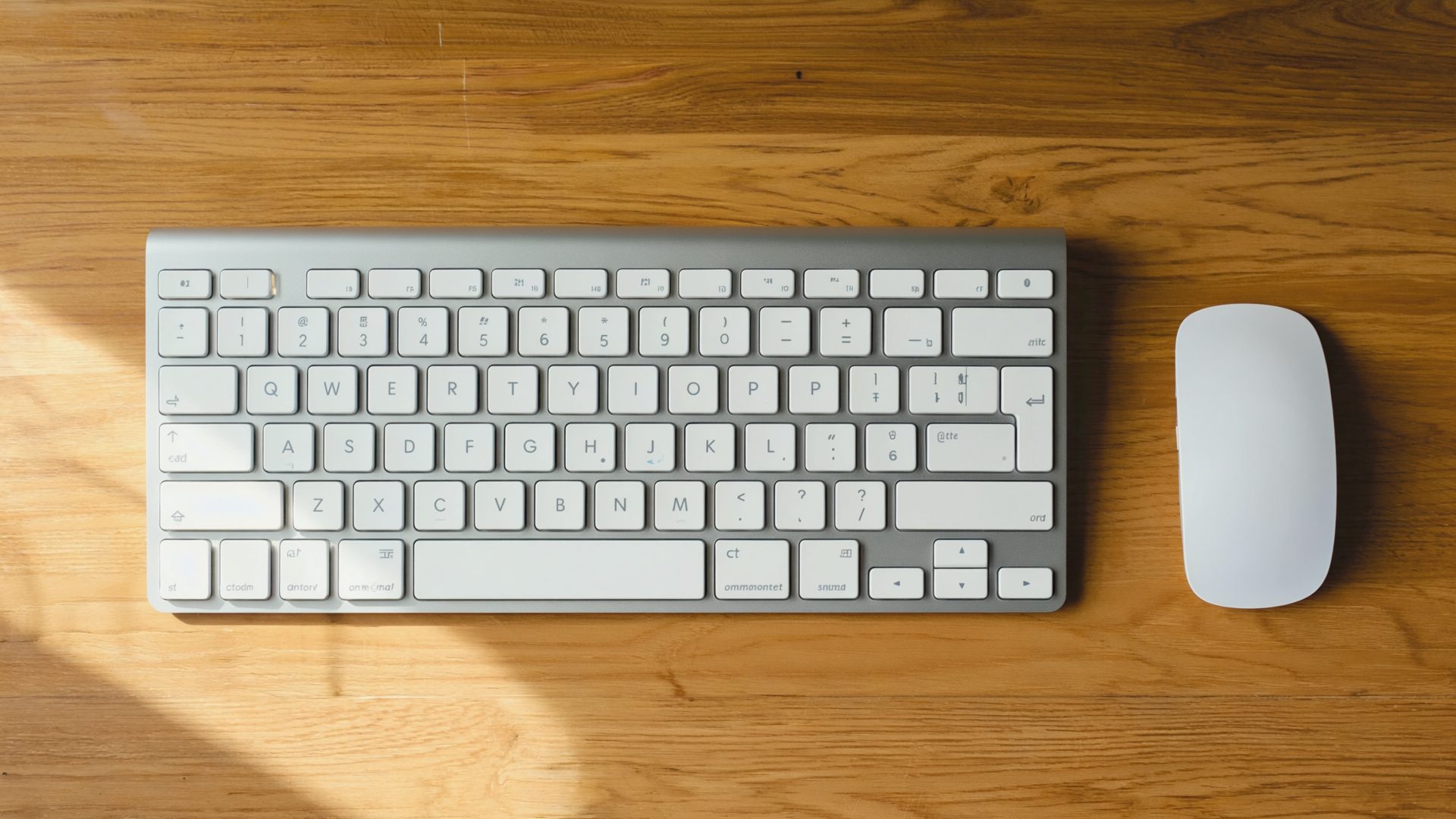
A wireless keyboard and mouse combo eliminates cable clutter and gives you flexibility in how you arrange your workspace. But not all combos are created equal. The $25 set from the office supply store will work, but the mushy keys, imprecise mouse, and AA batteries that die every few weeks will frustrate you daily.
The right combo balances typing comfort, mouse precision, reliable wireless connectivity, and battery life that lasts months rather than weeks.
What to Look For
Keyboard Considerations
- Key travel and feel: How far keys press down and how they feel. Shallow keys (like laptop keyboards) work for some people. Taller, more tactile keys reduce fatigue for heavy typists.
- Layout: Full-size (with number pad), tenkeyless (no number pad), or compact (65-75%). If you do not use the number pad regularly, a tenkeyless saves desk space and keeps the mouse closer to center. If you type all day, also consider a dedicated ergonomic keyboard for programming.
- Backlight: Useful if you work in dim conditions. Not essential but nice to have.
- Multi-device switching: Some keyboards connect to 2-3 devices and switch between them with a button. Useful if you switch between a work computer and a personal one.
Mouse Considerations
- DPI (sensitivity): Higher DPI means the cursor moves more per physical movement. 1000-1600 DPI is comfortable for most office work. Adjustable DPI lets you tune to your preference.
- Shape and size: The mouse needs to fit your hand. Too small creates a claw grip that strains your fingers. Too large forces your wrist into an awkward position. If you mouse for hours, an ergonomic mouse built for all-day use reduces strain further.
- Buttons: At minimum, left/right click, scroll wheel, and forward/back buttons. The side buttons are surprisingly useful for browser navigation and switching between applications.
- Scroll wheel: A smooth-scrolling wheel is noticeably better for scrolling through documents and spreadsheets than a notched wheel.
Connectivity
- Bluetooth: No dongle needed. Connects to built-in Bluetooth on your computer. May have slightly more latency than USB receivers.
- USB receiver (2.4GHz): Dedicated wireless receiver. More reliable and lower latency than Bluetooth. Uses a USB port.
- Dual-mode: Supports both Bluetooth and USB receiver. Best flexibility — use Bluetooth for travel, USB receiver at your desk.
Battery Life
- Rechargeable: Built-in battery, charges via USB-C. No battery purchases but must remember to charge.
- Replaceable batteries: AA or AAA. Longer total life per charge (sometimes 12-24 months) but requires battery purchases.
Best Wireless Keyboard and Mouse Combos
Logitech MX Keys S Combo — Best Overall
The Logitech MX Keys S keyboard paired with the Logitech MX Master 3S mouse is the gold standard for office productivity peripherals.
MX Keys S Keyboard:
- Low-profile keys with spherical dishing that guides your fingers to the center of each key
- Smart backlighting that activates when your hands approach and adjusts to ambient light
- USB-C rechargeable — up to 5 months on a charge (10 days with backlighting)
- Connects to 3 devices simultaneously with Easy-Switch buttons
- Compatible with macOS, Windows, Linux, iOS, Android
MX Master 3S Mouse:
- MagSpeed electromagnetic scroll wheel — one of the best scroll wheels ever made
- 8,000 DPI sensor tracks on any surface including glass
- Ergonomic shape designed for extended use
- Quiet clicks (90% less click noise than previous generation)
- USB-C rechargeable — up to 70 days on a full charge
- Connects to 3 devices with Easy-Switch
Combo Pros:
- Logitech Flow lets you move your cursor between computers seamlessly (like a KVM without the switch)
- Logi Options+ app provides extensive customization
- Both devices connect to the same Bolt USB receiver or via Bluetooth
- Build quality is excellent — feels premium
- The typing experience and mouse ergonomics are best-in-class for office use
Combo Cons:
- Expensive ($100 keyboard + $100 mouse = $200 total)
- MX Keys S does not have mechanical key switches — if you prefer mechanical feel, look elsewhere
- The MX Master 3S is large — not ideal for small hands
- Smart backlighting drains battery faster
Combined Price: Around $180-220 for both.
Logitech MK540 Advanced — Best Value Combo
The Logitech MK540 Advanced is a complete keyboard and mouse combo that provides a comfortable typing and mousing experience at a fraction of the MX Keys price.
Pros:
- Full-size keyboard with comfortable, responsive keys
- Palm rest built into the keyboard for wrist comfort
- Pre-installed AA batteries last up to 36 months (keyboard) and 18 months (mouse)
- Plug-and-play Unifying USB receiver (one receiver for both devices)
- Spill-resistant keyboard design
- Media keys and shortcut keys
Cons:
- Does not connect to multiple devices
- Not Bluetooth — requires the USB receiver
- No backlight
- The mouse is functional but basic — no side buttons, no adjustable DPI
- Full-size layout takes up more desk space
Price: Around $45-60 for the combo.
Apple Magic Keyboard + Magic Mouse — Best for Mac Users
The Apple Magic Keyboard with Touch ID and Apple Magic Mouse provide the tightest integration with macOS.
Magic Keyboard:
- Touch ID for secure login and Apple Pay — unlock your Mac with your fingerprint
- Low-profile scissor keys that match the MacBook keyboard feel
- USB-C rechargeable (all current 2026 models)
- Automatic pairing with Mac
Magic Mouse:
- Multi-touch surface supports gestures (swipe between pages, scroll with momentum, Mission Control)
- Low-profile design
- Automatic pairing with Mac
Combo Pros:
- Best macOS integration — Touch ID, gestures, automatic pairing
- Clean, minimal aesthetic matches Apple hardware
- Solid build quality
Combo Cons:
- Expensive ($200 keyboard + $80 mouse = $280 total)
- Magic Mouse is ergonomically poor for extended use — the flat profile forces a claw-like grip
- Magic Mouse charges via a Lightning/USB-C port on the bottom (cannot use while charging)
- No adjustability — no backlight, no programmable keys, no DPI adjustment
- The keyboard is small — no number pad on the standard model (the full-size model is $100 more)
Combined Price: Around $280 for both. Consider pairing the Magic Keyboard with the MX Master 3S for a better mouse experience — see our MX Master vs Magic Mouse comparison for the full breakdown.
Keychron K2 + Logitech MX Anywhere 3S — Best Compact Setup
The Keychron K2 is a 75% mechanical wireless keyboard, and the Logitech MX Anywhere 3S is a compact version of the MX Master.
Keychron K2:
- Mechanical switches (Gateron Brown/Red/Blue) for satisfying, tactile typing
- Hot-swappable switches — change the switch type without soldering
- 75% layout saves desk space while keeping function row and arrow keys
- Bluetooth + USB-C dual-mode
- Connects to 3 devices
- RGB backlight
- Mac and Windows compatible with swappable keycaps
MX Anywhere 3S:
- Compact version of the MX Master 3S
- MagSpeed scroll wheel
- 8,000 DPI sensor
- Works on any surface including glass
- Connects to 3 devices
- USB-C rechargeable — 70 days battery life
Combo Pros:
- Compact footprint — saves significant desk space
- Mechanical keyboard feel is more satisfying for heavy typists
- Both devices are highly portable for travel
- Both connect to 3 devices for multi-computer setups
Combo Cons:
- Mechanical keyboards are louder than membrane keyboards (though Brown switches are moderate)
- The Keychron K2 is thicker than low-profile keyboards — a wrist rest is recommended
- More expensive than membrane combos ($80 keyboard + $80 mouse = $160)
- Two separate devices means two chargers and no shared receiver
Combined Price: Around $140-170 for both.
Logitech MX Keys Mini + Pebble Mouse 2 — Best Compact Portable
The Logitech MX Keys Mini is a tenkeyless version of the MX Keys S with the same sculpted keys and smart backlighting in a smaller footprint. Paired with the Logitech Pebble Mouse 2, it creates an ultra-portable combo for hybrid workers who move between home and office.
MX Keys Mini:
- Tenkeyless layout — saves roughly 3 inches of desk width
- Same spherical key dishing and smart backlighting as MX Keys S
- USB-C rechargeable — up to 5 months on a charge (10 days with backlighting)
- Connects to 3 devices via Bluetooth or Bolt receiver
- Dictation and emoji keys replace the number pad
Pebble Mouse 2:
- Slim, portable design — fits in a jacket pocket
- Bluetooth + Bolt USB receiver dual-mode
- Quiet clicks (SilentTouch technology)
- Connects to 3 devices
- AA battery lasts up to 2 years
Combo Pros:
- Most portable premium combo — both devices fit easily in a laptop bag
- Quiet operation ideal for shared or open workspaces
- Both connect to 3 devices for multi-computer setups
- Logi Options+ app provides full customization
Combo Cons:
- Pebble Mouse 2 is basic compared to MX Master 3S — no MagSpeed scroll, fewer buttons
- No number pad — spreadsheet-heavy users may miss it
- Mouse uses AA battery instead of USB-C rechargeable
- Mouse is slim and flat — less ergonomic than full-size mice for long sessions
Combined Price: Around $120-150 for both.
Microsoft Sculpt Ergonomic Desktop — Best Ergonomic Combo
The Microsoft Sculpt Ergonomic Desktop includes a split ergonomic keyboard, an ergonomic mouse, and a separate number pad — designed for maximum typing comfort.
Pros:
- Split keyboard design keeps wrists in a natural position
- Cushioned palm rest with negative tilt
- Domed keyboard shape encourages proper wrist positioning
- Ergonomic mouse with thumb scoop and Windows button
- Separate number pad — use it when needed, stow it when you do not
- AAA batteries last approximately 12 months
Cons:
- The split layout has a learning curve — typing speed drops initially
- Keyboard-only USB receiver (not compatible with Logitech Unifying)
- Not Bluetooth — requires the included receiver
- Mouse is right-hand only
- Build quality is adequate but not premium
- No backlighting
Price: Around $50-70 for the complete set.
Comparison at a Glance
| Combo | Keys | Mouse | Multi-Device | Battery | Price |
|---|---|---|---|---|---|
| MX Keys S + MX Master 3S | Low-profile | Full ergonomic | 3 devices | Rechargeable (months) | $180–220 |
| Logitech MK540 | Full-size membrane | Basic | No | AA (18–36 mo) | $45–60 |
| Apple Magic Keyboard + Mouse | Low-profile | Flat multi-touch | No | Rechargeable | $280 |
| Keychron K2 + MX Anywhere | Mechanical 75% | Compact ergonomic | 3 devices | Rechargeable | $140–170 |
| Logitech MX Keys Mini + Pebble 2 | Compact low-profile | Compact slim | 3 devices | Rechargeable | $120–150 |
| Microsoft Sculpt Ergonomic | Split ergonomic | Ergonomic | No | AAA (12 mo) | $50–70 |
2026 Product Updates
Logitech MX Keys Mini Combo: For 2026, Logitech released the MX Keys Mini alongside the Pebble Mouse 2 as a compact combo option. The MX Keys Mini is a tenkeyless version of the MX Keys S with the same key feel and smart backlighting but in a smaller footprint. Paired with the Pebble Mouse 2 ($120–150 total), it is an excellent portable setup for hybrid workers.
Keychron K2 HE: Keychron launched the K2 HE (Hall Effect) version with magnetic switches that allow adjustable actuation points. This means you can set the keys to register at different depths — light and fast for typing, deeper for gaming. At $110, it is a compelling upgrade for keyboard enthusiasts.
Apple ecosystem note: All Apple Magic peripherals now ship with USB-C across the board. The Lightning charging port on the bottom of the Magic Mouse is finally gone. The charging-port-on-bottom design remains, however — you still cannot use the Magic Mouse while charging.
Microsoft Sculpt alternatives: The Microsoft Sculpt Ergonomic Desktop is becoming harder to find at retail. If ergonomic split keyboards are your priority, consider the Logitech Ergo K860 ($120) paired with the MX Vertical mouse ($100) — it provides similar split ergonomics with Bluetooth multi-device support and USB-C charging.
Recommendations by Priority
- Best overall: Logitech MX Keys S + MX Master 3S — typing and mousing experience unmatched
- Best value: Logitech MK540 Advanced — solid performance at fraction of premium price
- Best for Mac: Apple Magic Keyboard + Logitech MX Master 3S (mix and match for best of both)
- Best for typists: Keychron K2 + MX Anywhere 3S — mechanical keys and compact footprint
- Best for ergonomics: Logitech Ergo K860 + MX Vertical — split keyboard with vertical mouse reduces strain
- Best compact/portable: Logitech MX Keys Mini + Pebble Mouse 2 — minimal desk footprint, great for hybrid work
- Best for multi-computer setups: MX Keys S + MX Master 3S — seamless switching between 3 devices
Your keyboard and mouse are the tools you physically interact with every minute of every workday. Investing in quality peripherals that match your work style and hand size pays off in comfort, speed, and reduced strain. Try to test before you buy when possible — what feels right for one person may not suit another.
Frequently Asked Questions
Is Bluetooth or USB receiver better for wireless keyboard and mouse?
USB receivers (2.4GHz) provide lower latency and more reliable connections, making them better for desk setups. Bluetooth requires no dongle and connects to built-in adapters, making it better for travel or when USB ports are limited. Dual-mode devices that support both give you the best flexibility.
How long do wireless keyboard and mouse batteries last?
Battery life varies widely. Rechargeable combos like the Logitech MX Keys S last up to 5 months (keyboard) and 70 days (mouse). AA battery combos like the Logitech MK540 last up to 36 months (keyboard) and 18 months (mouse). Backlighting and high polling rates reduce battery life significantly.
Can I use a wireless keyboard and mouse with multiple computers?
Yes, if the devices support multi-device switching. Premium combos like the Logitech MX Keys S and MX Master 3S connect to up to 3 devices and switch between them with a button. Logitech Flow even lets you move your cursor between computers seamlessly. Budget combos typically connect to only one device.
Are mechanical wireless keyboards good for office work?
Yes, mechanical keyboards offer better tactile feedback and typing comfort for long sessions. Brown switches are the best office choice — tactile without being loud. The Keychron K2 is a popular wireless mechanical option with hot-swappable switches. Note that mechanical keyboards are thicker than membrane keyboards, so a wrist rest is recommended.
Do wireless keyboard and mouse combos have input lag?
For office work, no. Modern 2.4GHz USB receivers deliver 1-4ms latency, which is imperceptible for typing and general use. Bluetooth adds slightly more latency (5-15ms) but is still unnoticeable for productivity tasks. Only competitive gaming demands lower latency than what current wireless combos provide.
What is the best wireless keyboard and mouse combo for ergonomics?
The Logitech Ergo K860 split keyboard paired with the MX Vertical mouse is the best ergonomic wireless combo. The split keyboard keeps your wrists in a natural position and the vertical mouse eliminates forearm twisting. If you experience wrist or shoulder pain from long typing sessions, an ergonomic combo can make a significant difference.
Recommended Reading & Gear
- Coders at Work by Peter Seibel — Interviews with legendary programmers about their tools, habits, and craft. Great companion to upgrading your input devices.
- Deep Work by Cal Newport — Why focused work matters and how the right environment (including peripherals) supports it.
- Memory Foam Keyboard Wrist Rest — Essential companion to any keyboard. Reduces wrist strain during long typing sessions.
Explore More Reviews
- Best Mattresses for Back Pain Relief on RestWell
- Best AI Coding Agents 2026 on Dev Toolkit
- Best Homeschool Curriculum Kits 2026 on KidGearPro