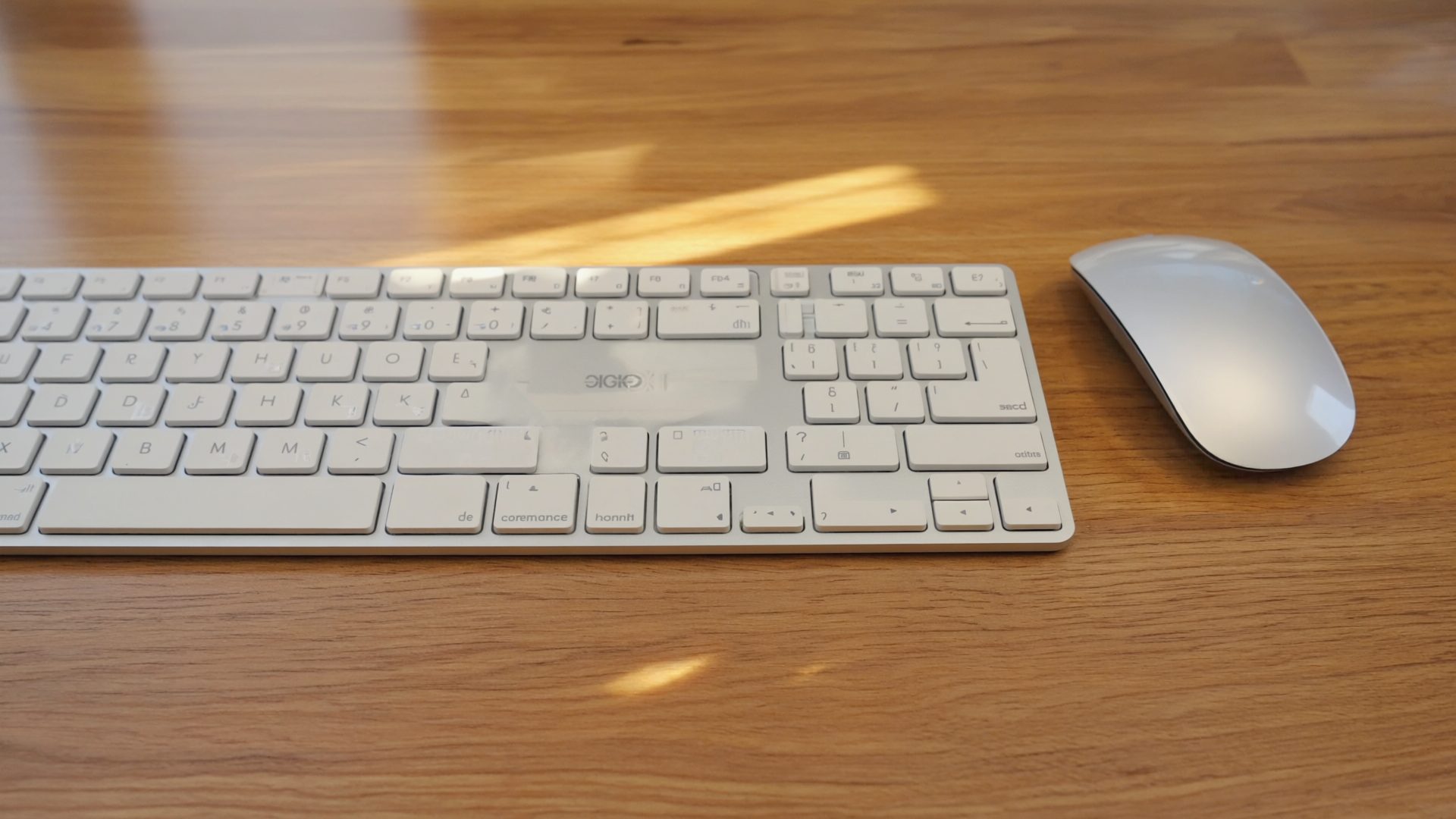
Why Your Flat Keyboard Is Hurting You
A standard flat keyboard forces your wrists into two unnatural positions: ulnar deviation (hands angled outward toward the pinky) and pronation (palms facing down). Over 8+ hours of daily typing, these positions compress the carpal tunnel, strain the forearm tendons, and contribute to repetitive strain injuries (RSI) that affect an estimated 3.5 million workers annually.
Ergonomic keyboards address this through three design principles: (1) splitting the keyboard so each hand types at a natural shoulder-width angle, (2) tenting the keyboard to reduce pronation, and (3) curving the key layout to reduce finger travel distance. Different keyboards prioritize different principles. For the best results, pair your keyboard with an ergonomic mouse built for all-day coding so both hands stay in a neutral position.
The adjustment period is real. Expect 1-3 days of slower typing on gently split keyboards (like the Logitech K860) and 1-2 weeks on fully split keyboards (like the Kinesis or Moonlander). But once adapted, most users report faster typing speeds and dramatically less wrist fatigue.
The Best Ergonomic Keyboards in 2026
1. Logitech Ergo K860 -- Best Overall
Price: $119 | Type: Split-curved (one piece) | Connectivity: Bluetooth + USB receiver | Battery: 2 years (AAA) | Compatibility: Windows, Mac, ChromeOS
The K860 is the gateway ergonomic keyboard. Its split-curved design gently separates the left and right halves while keeping them in a single unit, which means you get ergonomic benefits without the intimidating learning curve of a fully split keyboard. Most touch typists reach their normal speed within 2-3 days.
The integrated palm rest is the best in the category -- a memory foam cushion that supports your wrists at the correct angle without any separate accessory. The tenting (lifting the center of the keyboard) is fixed at about 7 degrees, which reduces wrist pronation noticeably compared to a flat keyboard.
Connectivity is wireless only (Bluetooth or Logitech's Bolt USB receiver), and the 2-year battery life on AAA batteries means you essentially forget about charging. The Logitech Options+ software lets you customize keys and switch between three paired devices.
Pros
- Easiest transition from a standard keyboard
- Best integrated wrist rest in the category
- 2-year battery life
- Multi-device Bluetooth (3 devices)
- Quiet, comfortable key feel
- $119 is accessible pricing
Cons
- Fixed tenting angle (not adjustable)
- Membrane keys (not mechanical)
- No backlighting
- Large footprint on desk
- Not fully split (cannot adjust separation distance)
Best for: Anyone who wants ergonomic benefits with minimal disruption to their typing habits.
2. Kinesis Advantage360 Pro -- Best Fully Split
Price: $449 | Type: Fully split, contoured | Switches: Cherry MX Brown (swappable) | Connectivity: Bluetooth + USB-C | Battery: ~3 months
The Kinesis Advantage360 Pro is the most ergonomically advanced keyboard you can buy. The two halves are completely separate, allowing you to position them at any shoulder width. The concave key wells place each key exactly where your fingers naturally rest, reducing finger travel to near zero. The thumb clusters put frequently-used keys (Enter, Space, Backspace, Delete) under your strongest digits instead of overworking your pinkies.
The learning curve is significant -- expect 1-2 weeks at reduced speed and another 2-4 weeks to reach your previous WPM. But the payoff is substantial. Kinesis users consistently report the lowest RSI symptoms of any keyboard type, and many describe the typing experience as "addictive" once adapted.
The Advantage360 Pro adds ZMK firmware (open-source, programmable) and hot-swappable Cherry MX switches. You can remap every key, create custom layers, and even write macros -- powerful for developers and power users.
Pros
- Most ergonomically advanced design available
- Concave key wells minimize finger travel
- Thumb clusters for Enter/Space/Backspace
- Fully programmable with ZMK firmware
- Hot-swappable mechanical switches
- Dramatically reduces RSI symptoms
Cons
- $449 is expensive for a keyboard
- 1-2 week learning curve
- Difficult to share with non-adapted users
- No number pad
- Large desk footprint when separated
Best for: Developers, writers, and anyone who types 6+ hours daily and is serious about preventing or managing RSI.
3. Microsoft Sculpt Ergonomic -- Best Budget
Price: $49 | Type: Split-curved (one piece) | Connectivity: USB wireless receiver | Battery: ~12 months (AAA) | Compatibility: Windows
The Microsoft Sculpt has been the best budget ergonomic keyboard for over a decade, and while the design has not changed, the value proposition remains strong at $49. The domed split layout provides a gentle separation between hands, the built-in tenting reduces pronation, and the cushioned palm rest is adequate (though not as luxurious as the K860's).
The Sculpt includes a separate number pad, which lets you position it wherever you want or remove it entirely to bring your mouse closer. This is actually an ergonomic advantage over full-size keyboards -- reducing the reach to your mouse reduces shoulder strain.
The main limitation is Windows-only compatibility and a USB wireless receiver that occupies a USB-A port. No Bluetooth, no Mac support, no multi-device switching. But at $49, it is the cheapest meaningful ergonomic upgrade available.
Pros
- $49 entry point for ergonomic keyboards
- Separate number pad (reduces mouse reach)
- Comfortable dome-split layout
- Proven design over 10+ years
- Quiet keys
Cons
- Windows-only
- USB receiver only (no Bluetooth)
- Palm rest not as good as K860
- Design feels dated
- Cannot customize key mappings
Best for: Windows users who want to try ergonomic typing for under $50.
4. ZSA Moonlander -- Best Customizable Split
Price: $365 | Type: Fully split, columnar | Switches: Cherry MX or Kailh (user choice) | Connectivity: USB-C (wired) | Features: Adjustable tenting, RGB, fully programmable
The ZSA Moonlander is the fully split keyboard for people who want to control every aspect of their typing experience. The tenting angle is adjustable via built-in legs (0-30 degrees), each half can be positioned independently, and every single key is programmable through ZSA's web-based Oryx configurator -- the best configuration tool of any keyboard we compared.
The columnar layout (keys in straight columns rather than staggered rows) is more natural for your fingers but requires a longer adaptation period than the Kinesis's contoured wells. The thumb clusters are generous, and the RGB lighting is functional (not just aesthetic) -- you can color-code layers to remember which layout is active.
Pros
- Adjustable tenting (0-30 degrees)
- Best configuration software (Oryx)
- Choice of switches at purchase
- RGB layer indication
- More affordable than Kinesis ($365 vs $449)
Cons
- Wired only (USB-C)
- Steep learning curve for columnar layout
- Flat profile (no contoured wells like Kinesis)
- No built-in wrist rest
Best for: Developers and power users who want maximum customization in a split ergonomic layout.
5. ZSA Voyager -- Best Portable Split NEW 2026
Price: $365 | Type: Fully split, low-profile columnar | Switches: Choc v1 (low-profile) | Connectivity: USB-C (wired) | Features: Magnetic tenting legs, hotswap, fully programmable via Oryx
The ZSA Voyager is the Moonlander's travel-friendly sibling and our top new addition for 2026. At just 0.55" thick and 530g total for both halves, it is the thinnest fully split ergonomic keyboard available. The low-profile Choc switches reduce finger travel significantly compared to standard MX-height switches, which means less fatigue during marathon coding sessions.
The magnetic tenting legs snap on in seconds, providing adjustable tenting without the bulk of the Moonlander's adjustable system. The same Oryx configurator powers full key remapping, layers, and macros. The trade-off vs the Moonlander: fewer keys (52 vs 72), no thumb cluster (replaced by thumb keys), and no RGB backlighting on most switch options.
Pros
- Ultra-thin and portable (0.55" thick)
- Low-profile Choc switches reduce finger fatigue
- Magnetic tenting system
- Same excellent Oryx configurator as Moonlander
- Hot-swappable switches
- Same $365 price as Moonlander
Cons
- Fewer keys (52) requires more reliance on layers
- Wired only (USB-C)
- Choc switches have fewer options than MX
- No built-in wrist rest
- Steep learning curve for minimal layout
Best for: Remote workers who travel frequently and want a fully split ergonomic keyboard that fits in a laptop bag.
6. NuPhy Halo75 -- Best Compact Mechanical
Price: $109 | Type: Standard layout (not split) | Switches: Gateron Low-Profile | Connectivity: Bluetooth + USB-C + 2.4GHz | Battery: ~60 hours
The NuPhy Halo75 is not ergonomic in the split/tented sense, but it makes this list because its low-profile mechanical switches and compact 75% layout address two ergonomic issues: reduced key travel means less finger fatigue over long typing sessions, and the compact layout eliminates the number pad to bring your mouse closer (reducing shoulder reach).
The Gateron low-profile switches are a revelation for typists who find standard mechanical keyboards too tall. The reduced height means you do not need a wrist rest (though one is available), and the key feel is satisfying without being fatiguing. Triple connectivity (Bluetooth, 2.4GHz dongle, USB-C) covers every use case.
Pros
- Low-profile reduces finger fatigue
- 75% layout saves desk space and reduces mouse reach
- Triple wireless connectivity
- Premium build quality and aesthetics
- Hot-swappable switches
Cons
- Not split or tented (standard layout)
- Does not address wrist pronation
- No built-in wrist rest
- 60-hour battery life requires frequent charging
Best for: Typists who want mechanical key feel and compact layout without committing to a full ergonomic split design.
7. Perixx PERIBOARD-512 -- Best Ultra-Budget
Price: $39 | Type: Split-curved (one piece) | Connectivity: USB wired | Compatibility: Windows, Mac, Linux
The Perixx PERIBOARD-512 is the cheapest ergonomic keyboard worth recommending. At $39, it delivers a fixed split-curved layout, integrated palm rest, and full-size key layout with number pad. The build quality is unambiguously budget -- the keys feel mushy, the plastic creaks, and the palm rest is hard foam -- but it provides the basic ergonomic positioning benefits at a price anyone can afford.
This is the keyboard to buy if you are not sure whether an ergonomic layout will work for you. Use it for a month. If the split layout helps your wrist pain, upgrade to the K860 or Kinesis knowing the concept works. If it does not suit you, you are out $39 instead of $119-$449.
Pros
- $39 starting price
- Full-size layout with number pad
- Basic split-curved ergonomic layout
- USB wired (no battery concerns)
- Works on Windows, Mac, and Linux
Cons
- Mushy key feel
- Hard foam palm rest
- Wired only
- Build quality feels cheap
- No key customization
Best for: Anyone who wants to test-drive ergonomic keyboards for the minimum investment.
Comparison Table
| Keyboard | Price | Type | Switches | Profile | Wireless | Programmable | Best For |
|---|---|---|---|---|---|---|---|
| Logitech Ergo K860 | $119 | Split-curved | Membrane | Standard | BT + USB | Limited | Best overall |
| Kinesis Advantage360 Pro | $449 | Fully split | Cherry MX | Contoured | BT + USB-C | Full (ZMK) | Maximum ergonomics |
| Microsoft Sculpt | $49 | Split-curved | Membrane | Standard | USB receiver | No | Budget (Windows) |
| ZSA Moonlander | $365 | Fully split | Cherry/Kailh | Columnar | Wired | Full (Oryx) | Customization |
| ZSA Voyager | $365 | Fully split | Choc LP | Low-profile | Wired | Full (Oryx) | Portable split |
| NuPhy Halo75 | $109 | Standard 75% | Gateron LP | Low-profile | BT+2.4+USB | Limited | Compact mechanical |
| Perixx PERIBOARD-512 | $39 | Split-curved | Membrane | Standard | Wired | No | Ultra-budget |
Mid-2026 Market Update
The ergonomic keyboard market continues evolving in 2026. Key updates since our initial review:
- ZSA Voyager added to our picks: ZSA's ultra-thin split keyboard has earned a place on this list. At 0.55" thick, it solves the portability problem that kept many remote workers from going fully split. Same $365 price and Oryx configurator as the Moonlander.
- Low-profile mechanical switches gaining ground: Choc and Gateron low-profile switches are becoming the preferred choice for ergonomic typists. The reduced travel distance (2.5-3mm vs 4mm) meaningfully reduces finger fatigue over 8-hour sessions without sacrificing tactile feedback.
- Logitech Ergo K860 remains king of mainstream: No successor announced. The K860 continues to be the easiest recommendation for anyone new to ergonomic keyboards. Pricing stable at $119.
- Microsoft Sculpt showing its age: Still functional and cheap, but the lack of Bluetooth and Mac support is increasingly limiting as the WFH workforce diversifies its device choices.
Ergonomic Keyboard Buying Guide
Split vs Split-Curved vs Fully Split
Split-curved (K860, Sculpt): Both halves in one unit with a gentle curve. Easiest transition, least disruptive. Most touch typists adapt within 1-3 days. The fixed separation distance works well for average shoulder widths but cannot be customized. Fully split (Kinesis, Moonlander, Voyager): Two separate halves you position independently. Maximum ergonomic benefit but longest adaptation period (1-4 weeks).
Choose split-curved if you value convenience, share your desk with others, or are new to ergonomic layouts. Choose fully split if you type 6+ hours daily, already experience wrist discomfort, or want the ability to position each half at your exact shoulder width. Many ergonomic enthusiasts start with a split-curved keyboard and upgrade to fully split once they confirm the split concept works for them -- the Perixx PERIBOARD-512 at $39 makes that trial inexpensive.
Mechanical vs Membrane for Ergonomics
Mechanical switches require less force to actuate, provide tactile feedback so you know when a key registers (reducing unconscious extra pressing), and have a longer lifespan (50-100 million keystrokes vs 5-10 million for membrane). For ergonomic purposes, low-profile mechanical switches (Choc, Gateron LP) are ideal because they combine reduced travel distance (2.5-3mm vs 4mm standard) with tactile feedback, meaning less finger extension per keystroke over thousands of daily repetitions.
Membrane keyboards are quieter and cheaper but provide mushy, imprecise feedback that encourages bottoming out -- pressing keys harder than necessary, which increases finger strain over long sessions. If budget is tight, membrane is fine for getting started. If you can afford it, mechanical switches with a light actuation force (45-50g) are objectively better for ergonomic typing. If switch feel matters most to you, our guide to the best mechanical keyboards for coding dives deeper into switch types and layouts.
The Mouse-Reach Problem
A full-size keyboard with number pad forces your mouse far to the right, creating a shoulder-straining reach that contributes to upper-back and shoulder pain over months of daily use. The distance from home row to mouse increases by about 10cm with a number pad present. Tenkeyless (TKL) or 75% keyboards eliminate this by removing the number pad entirely.
If you use a number pad heavily (accounting, data entry), consider a left-hand number pad or a split keyboard with the number pad on a separate module that you position where needed. Another option: a fully split keyboard like the Kinesis or Moonlander places your mouse between the two halves, eliminating the reach problem entirely while keeping all keys accessible. Developers can also compare these against the dedicated picks in our roundup of the best ergonomic keyboards for coding.
FAQ
How long does it take to adapt to an ergonomic keyboard?
Split-curved keyboards (K860, Sculpt): 1-3 days for most touch typists. Fully split keyboards (Kinesis, Moonlander): 1-2 weeks to basic functionality, 3-4 weeks to previous typing speed. The adaptation period is real but temporary -- and the reduced strain is permanent.
Will an ergonomic keyboard fix my wrist pain?
An ergonomic keyboard can reduce wrist strain and prevent RSI from worsening, but it is not a medical cure. If you have existing wrist pain, consult a doctor or occupational therapist. An ergonomic keyboard should be part of a broader solution that includes proper desk height, monitor position, regular breaks, and potentially wrist exercises.
Should I get a wrist rest with my ergonomic keyboard?
Wrist rests should support the heels of your palms while typing, not your wrists (resting directly on the carpal tunnel compresses it). Most ergonomic keyboards include an integrated palm rest that is correctly positioned. If yours does not, a separate gel or memory foam rest ($15-$25) is a worthwhile addition.
Can I use an ergonomic keyboard with a Mac?
Yes, but check compatibility first. The Logitech Ergo K860 works natively with macOS and includes Mac-specific key legends. The Kinesis Advantage360, ZSA Moonlander, and ZSA Voyager are fully programmable and can be remapped for Mac layouts. The Microsoft Sculpt is Windows-only and not recommended for Mac users.
Are ergonomic keyboards good for gaming?
Split ergonomic keyboards work for casual gaming but are not ideal for competitive play. The split layout changes WASD muscle memory significantly, and most ergonomic keyboards lack gaming features like high polling rates and anti-ghosting. If you game and type heavily, consider a standard mechanical keyboard for gaming and a split ergonomic keyboard for work, or use a fully programmable board like the Moonlander with a dedicated gaming layer.
Final Verdict
- Logitech Ergo K860 ($119) -- the best ergonomic keyboard for most people, with the easiest transition
- Kinesis Advantage360 Pro ($449) -- the most ergonomically advanced option for serious typists willing to invest in adaptation
- Microsoft Sculpt ($49) -- the cheapest meaningful ergonomic upgrade for Windows users
If you type more than 4 hours a day, an ergonomic keyboard is not a luxury -- it is a health investment. The K860 at $119 is the easiest first step. Your wrists will thank you.
Recommended Reading & Gear
- The Trigger Point Therapy Workbook — Self-treatment guide for wrist, forearm, and hand pain. Essential companion to any ergonomic keyboard transition.
- Deskbound: Standing Up to a Sitting World — Kelly Starrett on movement-based work habits. Covers wrist positioning and typing ergonomics in depth.
- Logitech MX Vertical Ergonomic Mouse — Pair your ergonomic keyboard with a vertical mouse. Reduces forearm pronation by 57% compared to a standard mouse.