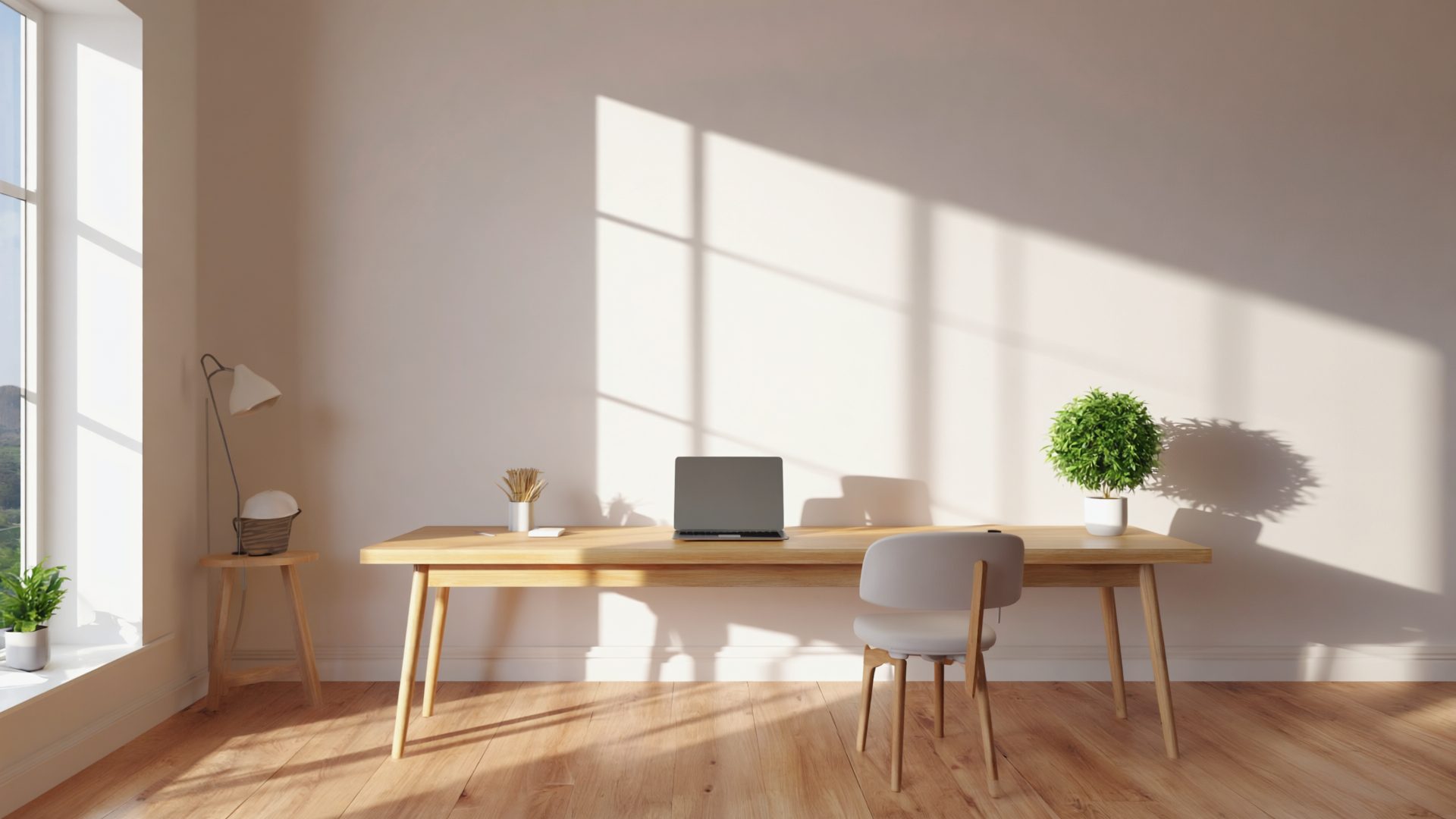
Not everyone has a spare room for a home office. But remote work demands a dedicated workspace. The solution for many people is converting a closet, nook, or under-stairs space into a functional office. Done well, a closet office can be surprisingly comfortable and productive. Done poorly, it is a claustrophobic cave that you dread entering.
Here is how to do it well.
Assessing Your Space
Minimum Dimensions
A functional desk workspace needs:
- Width: 36 inches minimum (48 inches is comfortable)
- Depth: 20 inches minimum for a desk surface (24 inches is better)
- Height: Standard desk height is 28-30 inches. Standard ceiling height is fine. Sloped ceilings under stairs work if the desk area has at least 48 inches of headroom when seated.
Standard closet sizes that work: - Reach-in closet (24" deep x 48-72" wide): Works well. The depth is perfect for a desk. - Walk-in closet (60"+ deep x 60"+ wide): More than enough. You can even fit shelving behind your chair. - Under-stairs nook: Varies, but often 36-60" wide with sloped height. Workable with planning.
Check Before You Start
- Electrical: Is there an outlet in or near the closet? If not, you need one installed (this is the most common deal-breaker without professional help).
- Ventilation: Closets are enclosed. Without airflow, they get hot and stuffy quickly.
- Lighting: Most closets have a single overhead bulb or nothing. You will need better lighting.
- Doors: Can they be removed or replaced? Bifold doors can often stay but fold fully open.
The Desk
Option 1: Floating Shelf Desk ($35-70)
A solid wood or butcher block shelf mounted to the wall with heavy-duty brackets. This is the cleanest option for closet offices because there are no desk legs taking up floor space.
Installation: - Use heavy-duty L-brackets or folding shelf brackets rated for your weight needs - Mount into wall studs (essential — drywall anchors will not hold a loaded desk) - Standard desk height: 28-30 inches from the floor - A 24" deep shelf provides adequate desk surface
Material options: - Butcher block countertop section from a home improvement store ($35-70 for a closet-width piece) - Pre-made floating desk shelves from IKEA or similar ($45-90) - A solid core door slab (cheap and large, but may need trimming)
Option 2: Compact Desk ($90-220)
Storage Pick: IKEA ALEX Drawer Unit — compact drawer storage that fits under a floating shelf desk.
If you cannot mount to the wall, a compact desk fits inside most closets. Look for:
- Width that matches your closet opening (measure carefully)
- Shallow depth (20-24 inches)
- No hutch or overhead shelf (you need headroom, not desk furniture eating into it)
Recommended: The IKEA MICKE desk (28.75" x 19.75") or similar compact writing desks.
Option 3: Pull-Out Desk ($55-110)
A desk that slides out when in use and pushes back in when not. This works well for nooks and spaces where the desk cannot be permanently extended.
DIY version: Desk surface on heavy-duty full-extension drawer slides mounted to the wall. Pull out to work, push back to reclaim the space.
Monitor Setup for Tight Spaces
In a closet, your monitor is close to your face (the back wall limits how far back you can push it). This deserves careful planning.
Portable Monitors
Portable USB-C monitors have become a top choice for closet offices in 2026. A 15.6-16" portable monitor weighs under 2 lbs, connects with a single USB-C cable, and stores flat when not in use — perfect for reclaiming closet space after hours. Our guide to the best portable monitors for laptops covers the top USB-C models to pair with a closet setup.
What to look for: - 15.6" or 16" IPS panel (good viewing angles in tight spaces) - USB-C with power delivery (one cable for video and power) - 1080p minimum, 2.5K or 4K if your laptop supports it - Built-in kickstand or VESA mount compatibility
Price range: $120-250 for a quality portable monitor.
Wall-Mounted and Arm-Mounted
- Monitor arm: Mounts to the desk or wall, positions the monitor at the right distance and height without a stand taking up desk surface
- Wall-mounted monitor: If the back wall can support it, mount the monitor directly to the wall. This reclaims the entire desk surface and puts the monitor at the optimal distance.
- Laptop only: If the space is very tight, use just a laptop on a stand. A 15-inch laptop at arm's length works in tight spaces.
Solving Ventilation
This is the most overlooked aspect of closet offices and the one most likely to make the space unusable.
The Problem
A person in a small enclosed space generates heat and CO2. A closed closet with a person and a computer in it reaches uncomfortable temperatures within an hour and can push CO2 levels above the threshold where cognitive function declines.
Solutions
Keep the door open or removed: The simplest fix. Remove the closet doors entirely, or keep them open during work hours. This allows air exchange with the room.
Small fan: A USB desk fan or a small clip-on fan creates airflow. Point it toward the closet opening to push stale air out. See our picks for the best desk fans for a home office if you need a quiet, compact option.
Portable air circulator: A small room fan placed just outside the closet opening, pointed inward, brings fresh air in. Combined with natural convection (warm air rising out), this creates a basic circulation loop.
Curtain instead of doors: Replace solid closet doors with a curtain. You get visual separation for video calls while maintaining airflow.
If budget allows: A small ductless ventilation fan (similar to a bathroom exhaust fan) can be installed in the closet ceiling or wall. This is the most effective solution but requires installation.
Lighting
Overhead
Replace the closet's single bare bulb with: - A flush-mount LED ceiling light (5000K daylight, $15-25) - LED puck lights if ceiling space is limited ($10-20 for a pack)
Task Lighting
A desk lamp is essential for reducing eye strain. In a small space, a clamp-on lamp saves desk surface: - Clamp lamp with adjustable arm ($15-30) - LED light bar that mounts above your monitor ($25-55)
Smart Lighting for Closet Offices
Smart bulbs and LED strips are especially useful in closet offices in 2026:
- Tunable white smart bulbs ($10-18 each): Shift from cool 5000K during focused work to warm 2700K in the evening. Brands like Philips Hue, LIFX, and Wyze all offer these.
- USB-powered LED strip behind monitor ($12-20): Reduces eye strain by providing bias lighting. Powered directly from your monitor's USB port — no extra cable to the wall.
- Motion-activated closet lights ($8-15): Useful if your closet lacks a wall switch. Light turns on when you enter and off when you leave.
Video Call Lighting
If you take video calls from your closet office, the wall behind you is close — close enough that a simple puck light or LED strip on the wall behind your monitor provides good facial illumination. See our webcam lighting guide for details.
Making It Comfortable
Chair
Your chair is likely the item that determines whether a closet office works. It needs to: - Fit through the closet opening - Fit in the closet with room to push back from the desk - Be comfortable for extended periods
Armless chairs work best in tight spaces — arms catch on closet walls and prevent pushing the chair in fully.
If the closet is too shallow for a standard office chair, consider a stool with back support or a kneeling chair, both of which have smaller footprints.
Personalization
Closet offices can feel sterile. Small touches matter: - A small plant (pothos or snake plant — low light tolerant) - A piece of art or photo on the side wall - A fabric backdrop if the closet interior is unfinished - Paint the interior a light color to make it feel more open (white or light gray)
Cable and Power Management
In a small space, messy cables are more noticeable and more annoying. A few cable management solutions go a long way here. Plan this carefully:
- Power strip: Mount a slim power strip to the underside of your desk shelf or the closet wall
- GaN charger: A multi-port GaN charger ($35-55) replaces 3-4 individual chargers — a huge win in tight spaces
- Cable routing: Run cables along the wall with adhesive clips, then down to the power strip
- Surge protector: Protect your equipment — a power strip with surge protection is worth the small premium
- Extension cord: If the nearest outlet is outside the closet, run a single heavy-gauge extension cord in and connect everything to the power strip inside
Sound Considerations
Video Calls
The good news: closets are naturally sound-dampened. Clothing (if you keep some on one side) and soft surfaces absorb echo. Video calls from closets often sound better than from large, echoey rooms.
If the closet is empty (no clothing), you may get some echo from hard walls. Add: - A small rug on the floor - Acoustic foam panels on one wall ($15-25 for a pack) - Soft items (a jacket on a hook) to break up reflective surfaces
Noise Isolation
A closet office does not soundproof you from the rest of the house. For that, you still need noise-canceling headphones. But the enclosed space does reduce noise in both directions somewhat — roughly 5-10 dB of reduction with the door closed, depending on door thickness and wall construction.
To improve isolation further without renovation: add a draft seal strip to the door edges (about $8), hang a heavy blanket or moving pad on the inside of the door, and place a thick rug on the floor. These soft surfaces absorb mid and high-frequency sounds (voices, typing, phone rings) better than hard surfaces. For background noise masking, a white noise machine or app playing through a small speaker outside the closet door can mask conversations from both directions.
The "Cloffice" Checklist
Before building your closet office, verify:
- [ ] Closet is at least 36" wide and 20" deep
- [ ] Electrical outlet is accessible (in or near the closet)
- [ ] Ventilation plan (doors removed/open, fan, or curtain)
- [ ] Desk solution chosen (floating shelf, compact desk, or pull-out)
- [ ] Monitor plan (portable, wall-mounted, arm, or laptop-only)
- [ ] Lighting plan (overhead + task light + video call light)
- [ ] Chair fits in the space with room to move
- [ ] Cable management plan
- [ ] Landlord permission (if renting — wall modifications may need approval)
Budget Breakdown
| Item | Budget Option | Mid-Range | Recommended Product (2026) |
|---|---|---|---|
| Desk (floating shelf) | $35-45 | $65-90 | Butcher block + L-brackets |
| Brackets/mounting | $15-20 | $22-35 | Heavy-duty folding brackets |
| Overhead light | $15-20 | $25-40 | Flush-mount LED panel |
| Desk lamp / light bar | $15-25 | $30-55 | BenQ ScreenBar or clamp lamp |
| Smart LED strip (bias lighting) | $12-15 | $18-25 | USB-powered LED strip |
| Fan | $10-15 | $20-35 | USB clip-on or desk fan |
| Power strip + GaN charger | $25-35 | $45-65 | Surge protector + Anker GaN |
| Cable management | $10-15 | $20-30 | Velcro ties + adhesive clips |
| Portable monitor (optional) | $120-150 | $180-250 | 15.6" USB-C IPS portable |
| Total (without monitor) | $137-190 | $245-375 | |
| Total (with portable monitor) | $257-340 | $425-625 |
Chair not included — use what you have or budget $100-300 separately.
Frequently Asked Questions
Can I build a closet office without drilling or permanent modifications?
Yes. Use a compact freestanding desk or a floating shelf with adhesive brackets rated for your weight needs (some hold up to 50 lbs). Adhesive-mount cable clips, battery-powered LED puck lights, and a curtain instead of removed doors all avoid permanent changes -- ideal for renters who need landlord-friendly solutions.
How do I keep a closet office cool enough to work in?
Remove or open the closet doors during work hours, use a USB desk fan pointed toward the opening, and consider replacing solid doors with a curtain for airflow. A person plus a computer in an enclosed closet can raise the temperature 5-10 degrees within an hour without ventilation. In warmer climates, a small portable fan is essential.
What is the minimum closet size for a home office?
You need at least 36 inches of width and 20 inches of depth for a functional desk surface. A standard reach-in closet (24" deep x 48-72" wide) works well. Walk-in closets provide more than enough space and may even fit shelving behind the chair.
Do I need a special monitor for a closet office?
A portable USB-C monitor (15.6-16 inches) is ideal because it stores flat when not in use and connects with a single cable. Alternatively, wall-mount a standard monitor to reclaim desk space. Avoid monitors larger than 27 inches -- the viewing distance in a closet is too short for comfortable use of larger screens.
Will a closet office work for video calls?
Closet offices are surprisingly good for video calls. The enclosed space naturally dampens echo, and the close back wall makes it easy to light your face with a simple LED strip or puck light behind your monitor. Add a small rug and soft items (a jacket on a hook, acoustic foam) to further reduce echo if the closet is empty.
The Bottom Line
A closet office works if you solve three things: a stable desk surface, adequate ventilation, and good lighting. Everything else is refinement.
The biggest mistake people make is treating the closet like a regular room and ignoring the ventilation. A hot, stuffy, poorly-lit closet is worse than working at the dining table. But a well-ventilated, well-lit closet with a proper desk is a genuinely private, productive workspace that many remote workers grow to love.
Start simple. A floating shelf, a clamp lamp, and an open door. Use it for a week. Then upgrade based on what you actually need.
Recommended Reading & Gear
- The Life-Changing Magic of Tidying Up by Marie Kondo — Essential reading for making small spaces functional and clutter-free.
- Remodelista: The Organized Home — Practical ideas for organizing compact spaces with style, including closet and nook conversions.
- ARZOPA 15.6" Portable USB-C Monitor — Ideal for closet offices: stores flat, single-cable connection, 1080p IPS panel.